
Standardize Tenant Controls
Use global policies and customer-specific settings for email protection, authentication, and identity security.
Microsoft security operations
Configure Microsoft 365 protection settings, review identity risk, manage Entra ID security controls, and route selected findings into operational workflows.
Included in every MSPControl plan.
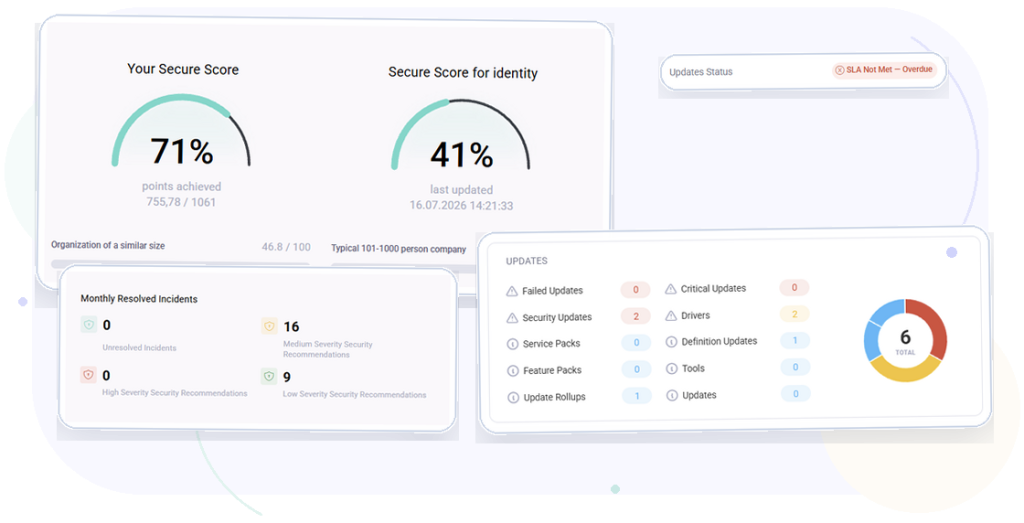
Operational outcomes
Bring tenant protection settings, identity controls, risk investigation, and security reporting into one customer-aware platform.
Use global policies and customer-specific settings for email protection, authentication, and identity security.
Review risky users, detection history, directory state, and linked service tickets with customer context.
Check diagnostic settings, sensitivity labels, baseline values, and reporting scope before taking action.
Platform capabilities
Use source-confirmed Microsoft 365, Entra ID, risk, reporting, and integration workflows without presenting MSPControl as a certification platform.
Everyday MSP workflows
Check reporting scope, authentication settings, tenant protection settings, and documented exceptions.
Validate licensing, apply Safe Links or protection settings, and verify the saved tenant configuration.
Review directory state, risk-detection history, and any linked ticket before choosing a response.
Send reports or configure supported ConnectWise ticket behavior when the integration is available.
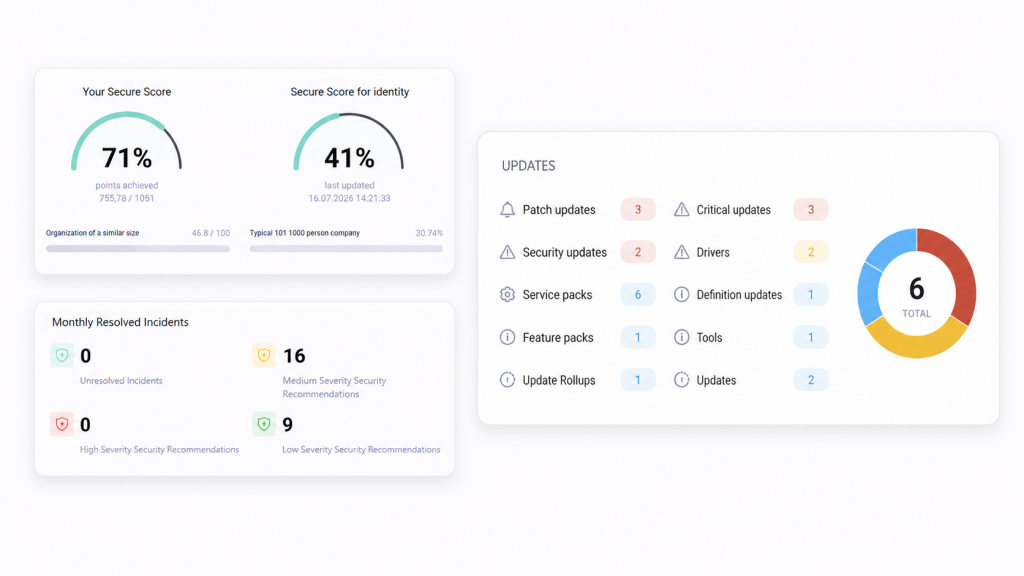
Product view
Review tenant protection settings, identity controls, risk information, and reporting workflows from one customer-aware platform.
Deployment & compatibility
Review supported services, prerequisites, permissions, and deployment guidance before connecting production environments.
Full platform included
Start with the Free License or choose a paid plan for Professional Support and additional capacity.

Self-hosted. Free license available. No credit card required.