
See Backup Outcomes Across Customers
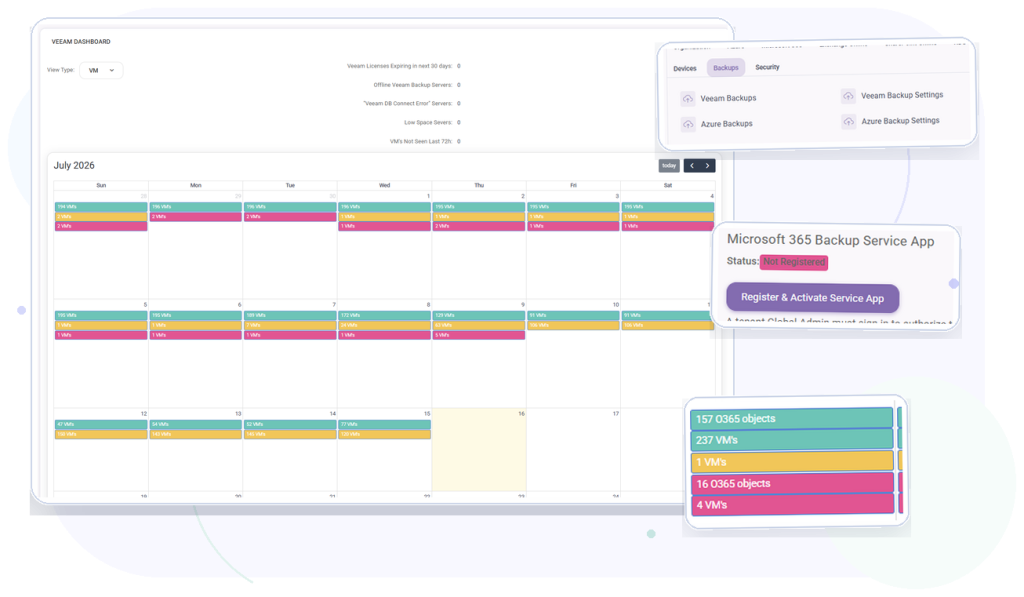
Use customer filters and calendar views to review successful, warning, and failed backup activity.
Backup operations for MSPs
Review Veeam, Veeam for Microsoft 365, and Azure backup results across customers, investigate failures, and confirm available recovery evidence from one operational platform.
Included in every MSPControl plan.
Operational outcomes
Give technicians a consistent way to review backup outcomes, investigate affected workloads, and follow up on customer risk.
Use customer filters and calendar views to review successful, warning, and failed backup activity.
Drill into reported jobs, sessions, objects, copies, storage, history, and available restore points.
Use notifications and configured ConnectWise automation to turn backup failures into follow-up work.
Platform capabilities
Work with the Veeam and Azure backup data reported to MSPControl without claiming that MSPControl replaces the underlying backup provider.
Everyday MSP workflows
Filter by customer and identify warning or failed Veeam and Azure backup events.
Open the affected object, job, or session and review the detail provided by the backup source.
Review reported copies, history, storage, and restore points before escalating a recovery request.
Notify the responsible team or use configured ConnectWise backup-failure automation.
Product view
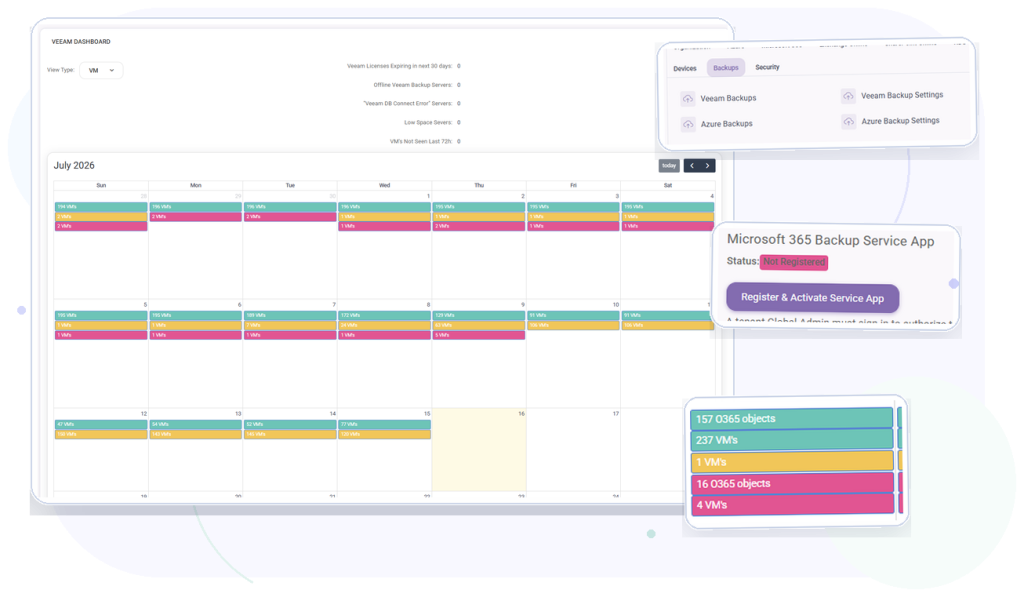
Bring reported Veeam and Azure backup outcomes into a consistent operational view for technicians.
Deployment & compatibility
Review supported services, prerequisites, permissions, and deployment guidance before connecting production environments.
Full platform included
Start with the Free License or choose a paid plan for Professional Support and additional capacity.

Self-hosted. Free license available. No credit card required.