
RMM for Windows devices

Remote Monitoring and Management Software for MSPs

Monitor Windows workstations and servers, review device health, apply reusable settings, run maintenance actions, and connect to customer devices from one self-hosted platform.

Included in every MSPControl plan.
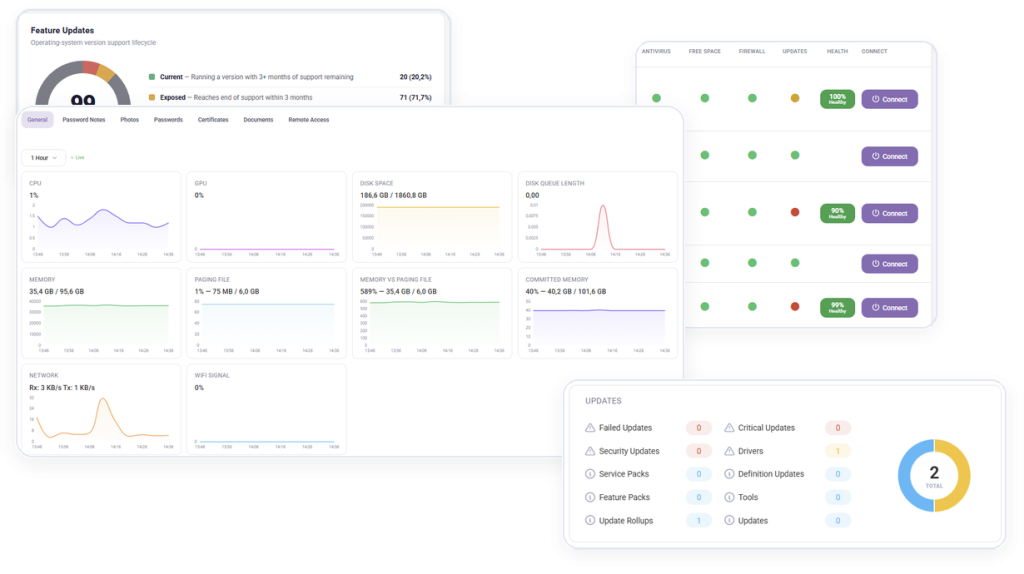
Remote monitoring and management in MSPControl

Operational outcomes

Give Technicians One Operational View of Every Customer Device

Bring Windows device status, configuration, maintenance, remote access, and reporting into one repeatable MSP workflow.

See Device Health in Context

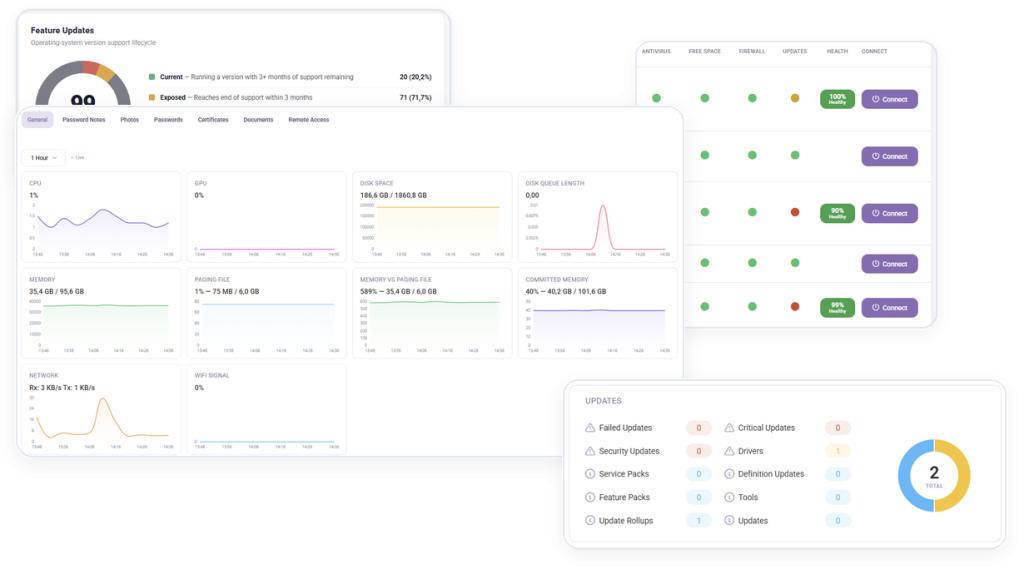
Review connectivity, last check-in, agent version, updates, storage, antivirus, firewall, and pending-reboot status.

Standardize Windows Operations

Apply reusable device settings and run consistent maintenance actions across customer workstations and servers.

Act from the Same Device Record

Investigate a device, run remediation, open remote access, and export operational reports without changing tools.

Platform capabilities

What MSPControl RMM Helps You Manage

Use source-confirmed device monitoring, maintenance, access, and reporting capabilities across customer environments.

Fleet Visibility & Health

4 capabilities
  • Review online, offline, and orphaned Windows devices by customer
  • Filter devices by status, agent version, operating system, template, and location
  • Inspect hardware, software, network, storage, user, and update information
  • Review last check-in, uptime, pending reboot, antivirus, firewall, and update status

Maintenance & Remediation

4 capabilities
  • Reboot devices and trigger Windows Update installation
  • Update the Autopilot agent or repair its settings
  • Run Windows Disk Cleanup and Winget updates remotely
  • Request diagnostic logs from a managed device

Device Configuration

4 capabilities
  • Create reusable device settings and apply them across organizations
  • Configure Windows update, firewall, cleanup, and Winget behavior
  • Define low-space, connection, and orphaned-device thresholds
  • Manage power, screen saver, trusted-site, and application settings

Remote Access & Users

3 capabilities
  • Open a ScreenConnect session when the integration is configured
  • View ScreenConnect session telemetry for a selected device
  • Add or remove authorized remote-access users

Reports & Operational Review

4 capabilities
  • Export device inventory and detailed device reports
  • Review missing updates and software inventory
  • Export local-user and unknown-location reports
  • Use status and property filters to focus technician review

Everyday MSP workflows

Run Repeatable RMM Workflows Across Customers

Connect a Windows Device

Deploy the Autopilot agent and bring the workstation or server into the managed-device inventory.

Review Fleet Health

Filter devices and inspect connectivity, updates, storage, security state, and agent health.

Run Maintenance Actions

Install updates, reboot, clean disks, update or repair the agent, and request diagnostic logs.

Report Across Customers

Export device, software, missing-update, local-user, and location information for operational review.

Product view

See Remote Monitoring & Management in MSPControl

Review Windows device health and run technician actions from one customer-aware operational view.
Remote monitoring and management dashboard in MSPControl

Deployment & compatibility

Prepare Your Environment

Review supported services, prerequisites, permissions, and deployment guidance before connecting production environments.

Full platform included

Remote Monitoring & Management Is Included in Every Plan

Start with the Free License or choose a paid plan for Professional Support and additional capacity.
