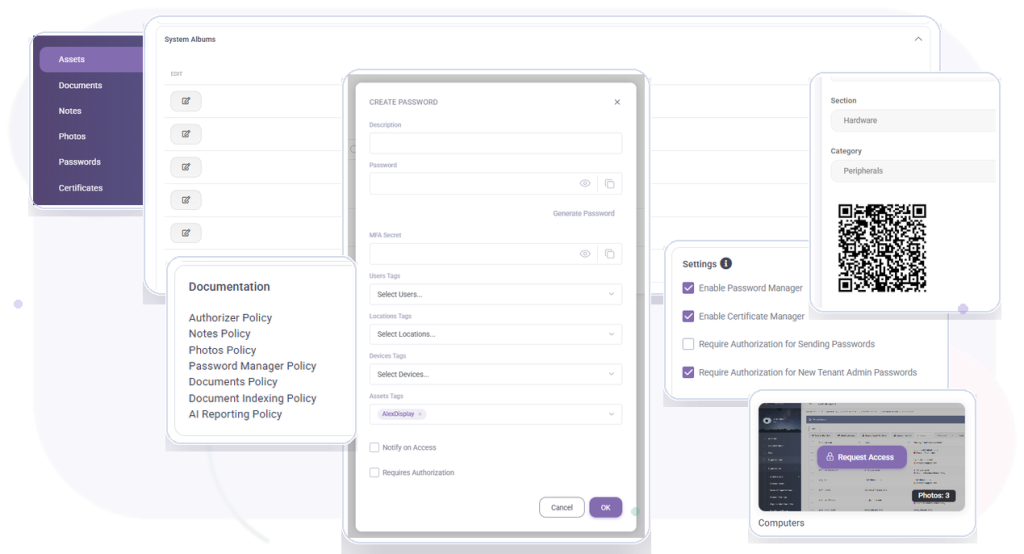
Operational knowledge

Keep Customer Documentation and Assets Organized in One Place

Store asset records, notes, credentials, media, policies, and infrastructure context so technicians can work with complete, controlled information.

Included in every MSPControl plan.

Documentation and asset management in MSPControl

Operational outcomes

Give Every Technician the Context They Need

Create a reliable operational source of truth for customer assets, knowledge, credentials, and infrastructure.

Create a Reliable Source of Truth

Keep customer assets, documentation, notes, and infrastructure information organized.

Give Technicians Better Context

Make the information needed for service delivery available in one controlled location.

Protect Sensitive Information

Apply policies and access controls to credentials, notes, media, and customer records.

Platform capabilities

What You Can Manage

Explore the asset, knowledge, credential, media, and access-control capabilities available in MSPControl.

Assets & Inventory

4 capabilities
  • Asset Type
  • Asset Category
  • Asset Section
  • 2. Asset Policies: Define and enforce policies for asset management operations.

Notes & Operational Knowledge

4 capabilities
  • 1. Note Content: Notes Entry
  • Location Tags
  • Device Tags
  • 4. Notes Policies: Define and enforce policies for notes creation, modification, and deletion.

Passwords & Credentials

3 capabilities
  • 1. Secured Password Storage: Safekeeping of passwords with robust encryption.
  • Integration with Azure Vault
  • 4. Certificates Management: Storage, organization, and retrieval of certificates.

Media & Attachments

2 capabilities
  • 1. Photo Storage: Secure storage and organization of photos related to assets or notes.
  • 2. Photo Policies: Define and enforce policies for photo storage, access, and deletion.

Policies & Approval Workflows

2 capabilities
  • Email notifications for authorization requests and approvals
  • 7. Authorizer Policies: Define and enforce policies for authorization operations and settings.

Access Control & Security

4 capabilities
  • 3. Authorization Requirement: Availability based on authorization levels
  • 5. Security: Notes are securable with defined access controls.
  • 3. Security: Passwords are securable with defined access controls.
  • 5.Authorization Settings: Configurable settings to manage authorization levels and access controls.

Additional Microsoft Cloud Capabilities

20 capabilities
  • 1. Asset Identification: Asset Name Asset Type Asset Category Asset Section
  • Asset Name
  • Define and enforce policies for asset management operations.
  • Notes Entry
  • 2. Tagging: User Tags Location Tags Device Tags
  • User Tags
  • Availability based on authorization levels
  • Define and enforce policies for notes creation, modification, and deletion.
  • Notes are securable with defined access controls.
  • Secure storage and organization of photos related to assets or notes.
  • Define and enforce policies for photo storage, access, and deletion.
  • Safekeeping of passwords with robust encryption.
  • 2. Password Manager Policies: Define and enforce policies for password storage, retrieval, and deletion. Integration with Azure Vault
  • Define and enforce policies for password storage, retrieval, and deletion.
  • Passwords are securable with defined access controls.
  • Storage, organization, and retrieval of certificates.
  • Configurable settings to manage authorization levels and access controls.
  • 6. Authorizer Functionality: Request and approval workflow for accessing protected items. Email notifications for authorization requests and approvals
  • Request and approval workflow for accessing protected items.
  • Define and enforce policies for authorization operations and settings.

Everyday MSP workflows

Keep Customer Knowledge Accurate and Useful

Document a New Customer

Create asset records, operational notes, credentials, and infrastructure context.

Maintain Asset Information

Update ownership, categories, locations, policies, and customer details over time.

Share Operational Knowledge

Give technicians access to the information required to resolve issues efficiently.

Control Sensitive Access

Protect credentials and customer information with structured authorization policies.

Product view

See Documentation & Asset Management in MSPControl

Keep customer knowledge connected to the same platform used for daily operations.

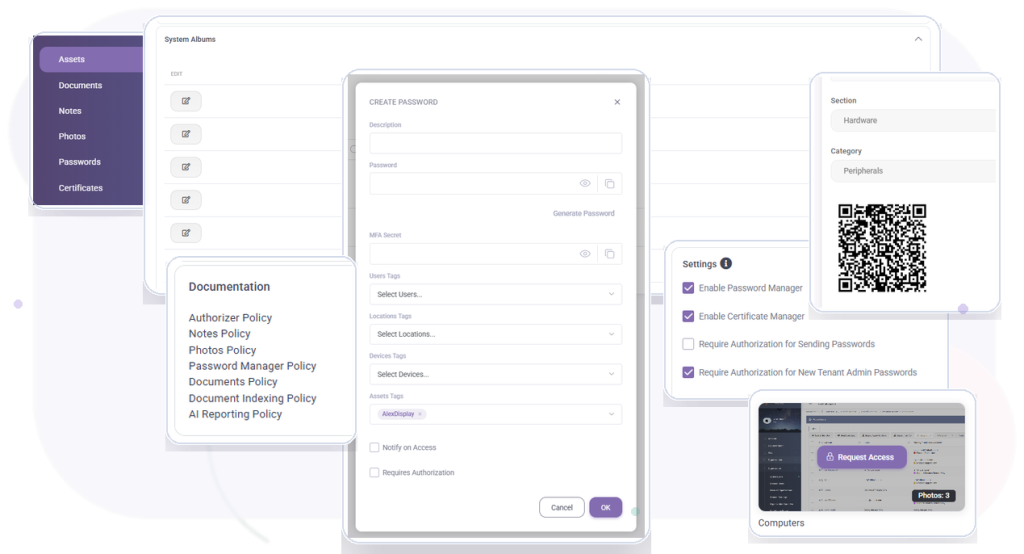
Documentation and asset management dashboard in MSPControl

Deployment & compatibility

Prepare Your Environment

Review supported services, prerequisites, permissions, and deployment guidance before connecting production environments.

Full platform included

Documentation & Asset Management Is Included in Every Plan

Start with the Free License or choose a paid plan for Professional Support and additional capacity.