Windows device & server operations

Monitor and Manage Windows Devices Across Every Customer

Connect workstations and servers, monitor operational status, apply policies, run maintenance actions, and resolve issues from one self-hosted platform.

Included in every MSPControl plan.
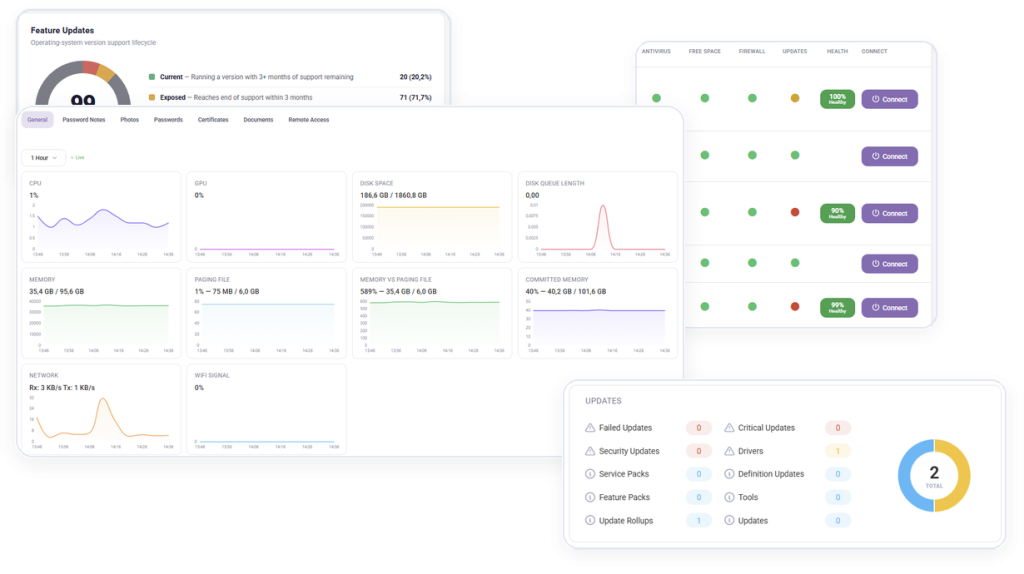
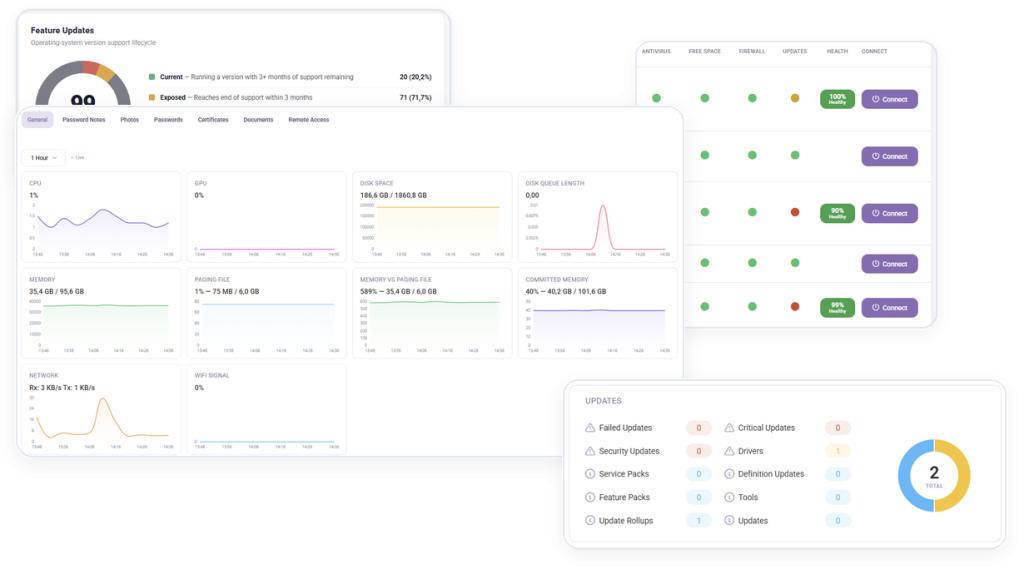
Remote monitoring and management in MSPControl

Operational outcomes

Keep Every Customer Device Visible and Manageable

Give technicians one operational view for Windows devices, servers, agents, policies, and recurring maintenance.

Keep Every Device Visible

Track agent status, connectivity, health signals, and operational conditions across customer environments.

Standardize Device Operations

Apply repeatable settings, policies, and maintenance actions across workstations and servers.

Respond Before Issues Escalate

Surface failures and abnormal conditions so technicians can act with the right customer context.

Platform capabilities

What You Can Manage

Explore the remote monitoring and device management capabilities available in MSPControl.

Agent Deployment & Lifecycle

4 capabilities
  • Agent configuration via SRV Record to allow for easy management of End Point by Domain
  • Agent Auto-Upgrade allows for easy management of remote agents to maintain latest version
  • Support for Multiple Agents per user
  • Orphaned Agent Detection – Set number of days before an agent is considered no contact

Monitoring & Health

4 capabilities
  • Agent Up/Down Status
  • Monitor Antivirus Status
  • Monitor Drive Space
  • Monitor Internal/External IP Address of each Agent

Configuration & Policies

7 capabilities
  • Cloud Folder Drive Mapping Management – Allow for remote machines network drives to be mapped to Cloud Folder mappings remotely
  • Control Cloud Folder Upload Size
  • Automatically Connect Remote Users RemoteApp Settings based on the collections they have access to
  • Automatically Configure Exchange MAPI Settings on Remote Machines based on the users Mailbox Settings
  • Manage Remote Users Screensaver Settings based on Organizational Template – Require Password and Amount of time Screensaver should turn on
  • Integration with Cloud Folder Search Federation allows for Remote users to use Full Text Search of Cloud Folders
  • Inheritable Policies allow Serveradmin to control what Tenants can do with there settings

Remote Connectivity & Access

1 capability
  • Automatically Deploy Screenconnect Agents to Remote Machines / Connect to any Agents using Quick Connect button on Agent List

Security & Maintenance

3 capabilities
  • Ability to Repair Remote Agent Settings Remotely
  • Ability to Reboot Remote Agent Machines
  • Abilitly to Manage Remote Agent Devices Windows Firewall State for Zones

Everyday MSP workflows

Standardize Device Operations Across Customers

Connect a New Device

Deploy the agent, register the endpoint, and bring it under centralized management.

Apply Customer Policies

Standardize configuration, firewall, user, mapping, and remote settings.

Monitor Daily Health

Review agent status, connectivity, disk space, antivirus state, and operational signals.

Maintain the Agent Estate

Repair, upgrade, reboot, and identify orphaned agents from one operational view.

Product view

See Remote Monitoring & Management in MSPControl

Monitor and operate Windows devices without switching between disconnected customer tools.

Remote monitoring and management dashboard in MSPControl

Deployment & compatibility

Prepare Your Environment

Review supported services, prerequisites, permissions, and deployment guidance before connecting production environments.

Full platform included

Remote Monitoring & Management Is Included in Every Plan

Start with the Free License or choose a paid plan for Professional Support and additional capacity.