FTP Accounts
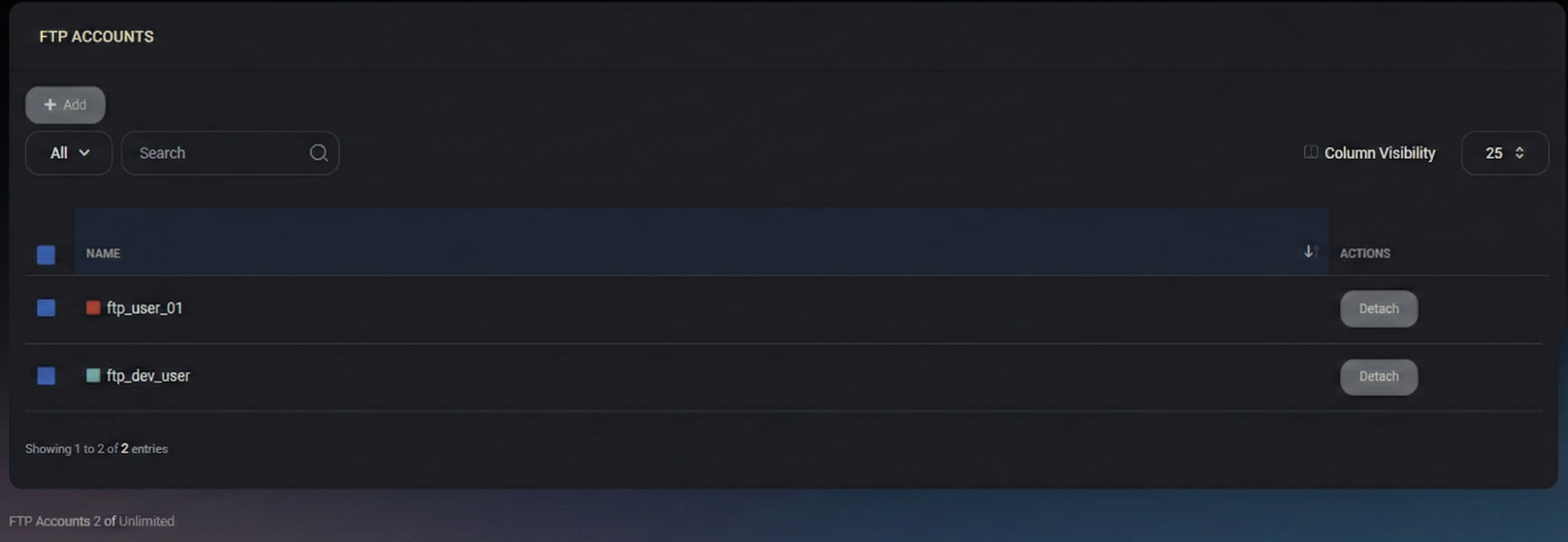
The FTP Accounts page lets you manage FTP accounts available for your hosted web environment. Use it to create new FTP accounts, review existing ones, and detach accounts that should no longer be associated with your organization or website context.
Page actions
- Add – Opens the flow to create a new FTP account.
- Detach – Removes an FTP account from the current scope (for example, from your organization or web service context) without requiring you to delete the underlying resource at the infrastructure level.
Filters and search
- All – Scope selector for filtering the list (depends on your UI configuration).
- Search – Filters the list by FTP account name.
- Column Visibility – Controls which columns are displayed in the table.
FTP Accounts list
This table shows FTP accounts available in your current scope.
Columns
- Name – The FTP account identifier (login name) displayed for selection and management.
- Actions – Per-row actions available for the account (for example, Detach).
At the bottom of the page, MSPControl also shows how many FTP accounts exist in your scope (for example, FTP Accounts: 2 of Unlimited), which helps you track consumption against any configured limits.
Add FTP account
Create an FTP account when you need a dedicated set of credentials for uploading or managing website files (for example, for a developer, integration, or deployment workflow).
- Click Add.
- Provide the required account details in the creation form (fields depend on your hosting configuration).
- Save the changes to create the FTP account.
Tip: Use separate accounts per person or automation to make access revocation easier and reduce credential sharing.
Detach FTP account
Detach an account when it should no longer be used in the current scope (for example, when a contractor is done, a project ends, or credentials must be rotated).
- Locate the account in the list.
- Click Detach in the Actions column.
- Confirm the action.
Important: Detaching an FTP account may immediately break any tooling or deployments that rely on it. Update your pipelines, password vaults, or integrations before detaching.
Best Practices
- Avoid shared credentials – Prefer one account per person/system to simplify audits and revocation.
- Rotate credentials regularly – Especially after staff changes or vendor offboarding.
- Use least privilege – Grant access only to the directories and sites that are required for the task.
- Offboard cleanly – Detach accounts as soon as they are no longer needed.
- Track usage – Periodically review the list for stale accounts and remove them.