


The Microsoft 365 Security page in MSPControl provides organization-level controls for several Microsoft 365 security features. This page allows administrators to enable or disable key security-related options such as Unified Audit Log notifications, Safe Links, spam filtering, global quarantine report delivery, and standard protection settings.
The page is structured into separate collapsible sections, making it easy to review each security area independently. These settings are useful when administrators need a simplified place to control Microsoft 365 security behavior without managing each option separately across multiple Microsoft portals.
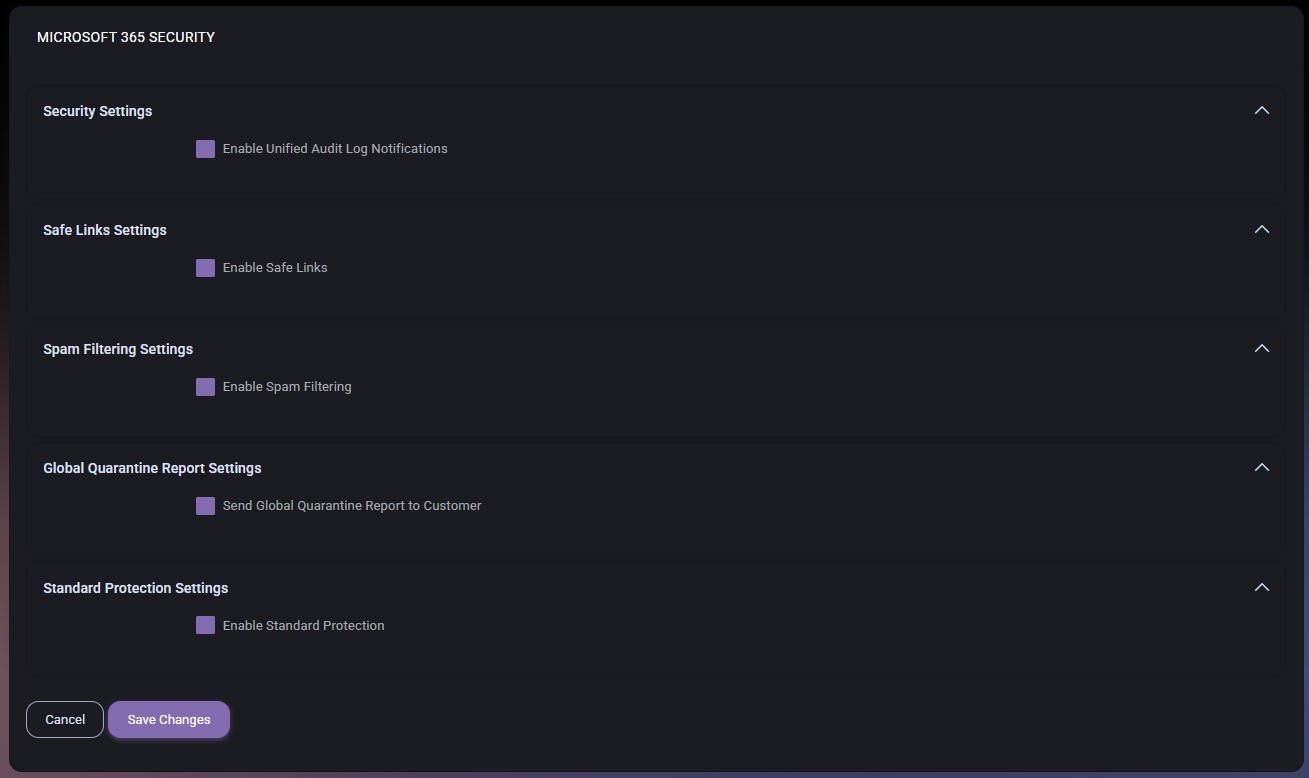
The Microsoft 365 Security page focuses on tenant-wide protection and notification settings. It does not display detailed security event logs or individual threat records. Instead, it provides switches for enabling or controlling important security behaviors for the organization.
This page is useful for administrators who need to confirm whether core Microsoft 365 protection features are enabled. It also helps keep common security options visible in MSPControl, especially when security configuration must be reviewed during onboarding, tenant audits, or periodic security checks.
The Security Settings section contains the general Microsoft 365 security notification option shown on the page.
The Unified Audit Log is important because it can provide tenant-wide activity visibility across Microsoft 365 services. Enabling notifications helps administrators stay aware of audit-related conditions that may require attention.
The Safe Links Settings section controls Safe Links protection for the organization.
This setting is useful when the organization wants link protection to be part of its Microsoft 365 security posture. It is especially relevant for environments where users frequently receive external email, shared documents, or collaboration links.
The Spam Filtering Settings section controls spam filtering behavior for the organization.
Spam filtering is one of the basic layers of mail security. Enabling this option helps protect users from unwanted messages and can reduce the amount of risky or distracting mail delivered to mailboxes.
The Global Quarantine Report Settings section controls whether quarantine reporting should be sent to the customer.
This report can help customers understand what is being held or filtered by Microsoft 365 security controls. It can also support review workflows where customers or administrators need periodic visibility into quarantine activity.
The Standard Protection Settings section controls whether standard protection should be enabled for the organization.
Standard protection can help provide a consistent security baseline. This is especially useful for organizations that need predictable protection settings across tenants or customer environments.
Administrators should review all enabled and disabled options before saving, because these settings can affect mail protection, audit visibility, quarantine reporting, and the organization’s overall Microsoft 365 security baseline.
The Microsoft 365 Security page gives MSPControl a simplified control point for important Microsoft 365 protection features. Instead of treating each protection option as an isolated setting, this page groups common security controls into one administrative view.
This makes it easier to check whether core protections are enabled and whether customer-facing reporting is configured. It is especially useful during onboarding, security reviews, policy validation, or when comparing security settings across multiple organizations.

No credit card required for free, limited license.