


The Microsoft 365 Groups page in MSPControl is used to view and create Microsoft 365 Groups for the selected organization. These groups are commonly used for Microsoft 365 collaboration scenarios, including shared membership, group mailbox access, Teams-connected collaboration, SharePoint-connected resources, and other Microsoft 365 services that rely on group-based access.
This page gives administrators a focused place to review existing Microsoft 365 Groups, search the group list, control visible columns, and create new groups with defined owners and members. It is useful when the organization needs to manage collaboration groups separately from standard security groups or distribution lists.
A Microsoft 365 Group is a group object used across Microsoft 365 services to provide shared collaboration and access. Depending on how the group is used, it may be connected to a shared mailbox, calendar, SharePoint site, Microsoft Teams workspace, Planner plan, or other Microsoft 365 collaboration features.
In MSPControl, the Microsoft 365 Groups page provides a simplified management view for these groups. Administrators can see the groups that exist for the organization and create new ones when a collaboration group is required.
This section is different from a standard security group list because Microsoft 365 Groups are usually tied to collaboration services and user productivity workflows, not only permission assignment.
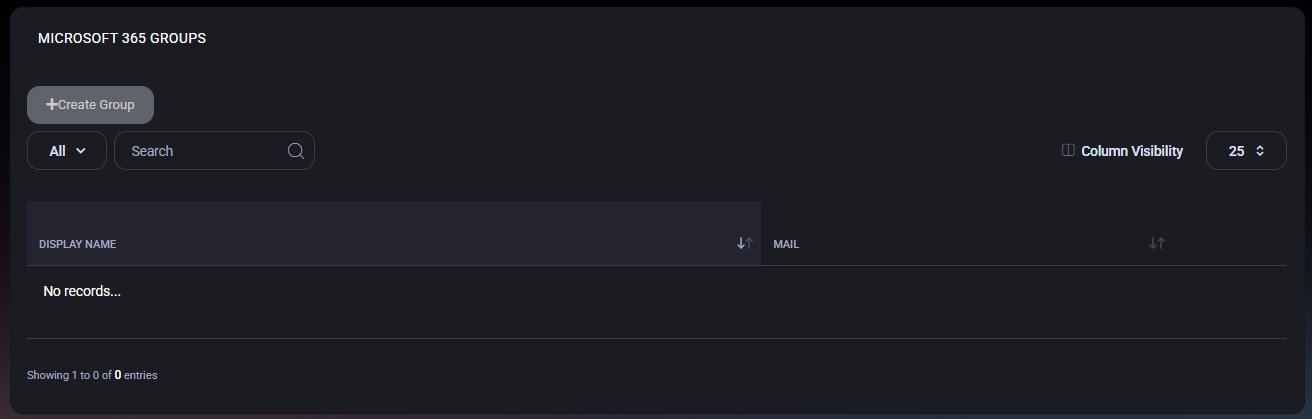
The main page displays Microsoft 365 Groups in a table. In the provided example, the list is currently empty and shows No records…, which means no Microsoft 365 Groups are displayed in the current view.
The page includes controls for creating a new group, filtering and searching the list, adjusting visible columns, and changing how many records are shown per page.
These two columns provide the main identity information needed to recognize a Microsoft 365 Group. The display name is typically used by administrators and users, while the mail address identifies the group in mail-enabled and Microsoft 365 service scenarios.
The Create Microsoft 365 Group page is used to create a new group for collaboration and Microsoft 365 service usage. The form allows administrators to define the group name, mail nickname, description, owners, and members.
This workflow is useful when a new team, department, project group, or collaboration space needs a Microsoft 365 Group. By creating the group through MSPControl, administrators can keep group creation aligned with the organization’s managed Microsoft 365 structure.

The Owners and Members fields are important because they define the initial responsibility and access model for the group. Owners should be selected carefully, especially for groups that are used for business-critical collaboration or external communication.
Before creating the group, administrators should confirm that the display name, mail nickname, owners, and members are correct. Mistakes in naming or membership can create confusion for users and may require cleanup later.
Microsoft 365 Groups help organize collaboration around a shared group identity. They can be used as the foundation for access to Microsoft 365 resources and shared workspaces. By managing these groups from MSPControl, administrators can keep collaboration group creation and visibility inside the same control panel used for the rest of the organization.
This is especially useful when administrators need to provide Microsoft 365 collaboration capabilities while keeping group ownership and membership controlled. The page gives a simple overview of existing groups and a straightforward creation workflow for new ones.

No credit card required for free, limited license.