Manual billing tasks can quickly become a source of frustration for Managed Service Providers aiming to grow their American or European operations. Accurate and timely invoicing not only boosts profitability but also strengthens client relationships. By focusing on automated billing systems that minimize errors and support seamless integration with professional service automation tools, you set the stage for more efficient workflows and better financial outcomes.
Table of Contents
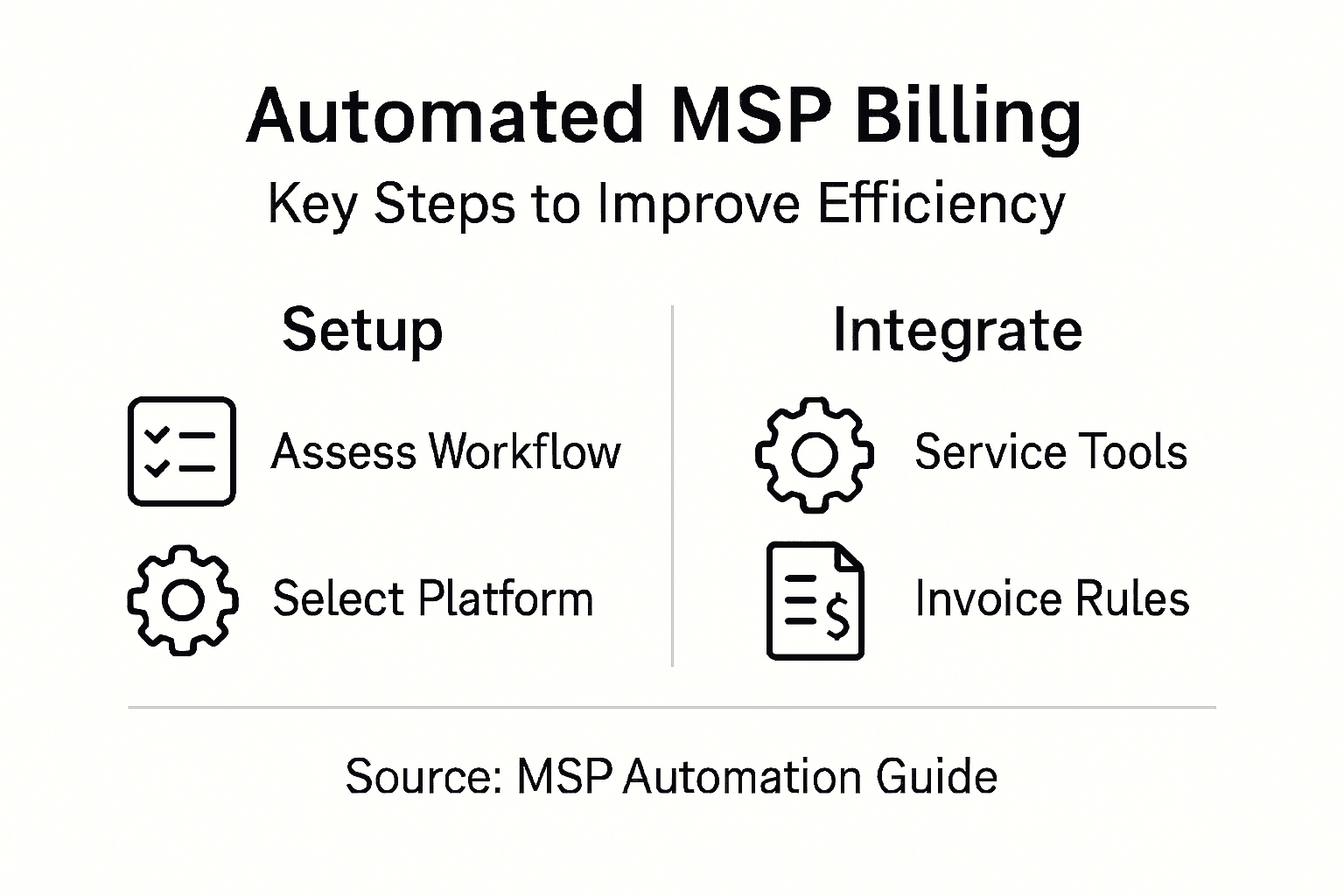
- Step 1: Assess Your Billing Requirements And Current Workflow
- Step 2: Select And Configure An Automated Billing Platform
- Step 3: Integrate Billing With Service And PSA Tools
- Step 4: Customize Recurring Billing And Invoice Rules
- Step 5: Test And Verify Automated Billing Accuracy
Summary of Key Insights
| Key Insight | Explanation |
|---|---|
| 1. Assess Current Billing Workflow | Audit existing billing processes to identify inefficiencies and opportunities for improvement. |
| 2. Choose the Right Automation Tool | Select a billing platform that integrates seamlessly and supports your unique pricing models. |
| 3. Implement Seamless Integrations | Connect billing with professional services automation tools to reduce manual data entry and errors. |
| 4. Customize Billing and Invoicing | Configure billing rules to support varied pricing structures and automate invoicing processes. |
| 5. Test for Accuracy Regularly | Continuously verify automated billing accuracy to maintain financial integrity and trust with clients. |
For the business case, integration options, and risks behind this workflow, read our guide to billing automation for MSPs.
For the product workflow, see MSPControl billing automation and subscriptions: supported recurring processing, invoice terms, payment records and the checks your team owns.
Step 1: Assess Your Billing Requirements and Current Workflow
Successfully automating billing for managed service providers starts with a comprehensive assessment of your current workflow and unique financial requirements. This critical first step helps identify inefficiencies and opportunities for strategic improvements in your billing processes.
Begin by conducting a detailed audit of your existing billing workflow. Map out each step from service delivery to invoice generation and track exactly how much time your team currently spends on manual billing tasks. Key areas to examine include client contract details, service tier pricing, recurring billing configurations, and current invoicing methods. Pay special attention to areas with repetitive manual work like data entry, calculation of service hours, and reconciling billing records. Consider creating a visual workflow diagram that highlights each touchpoint and potential bottleneck in your current system.
As you analyze your billing process, look for opportunities to implement flexible pricing solutions that can streamline your financial operations. Evaluate your current billing software and determine whether it supports automated time tracking, prorated billing, and custom invoice generation. Understanding these specific requirements will help you select the right automation tools that match your unique business model.
Pro Tip: Create a spreadsheet tracking the exact time spent on manual billing tasks to quantify potential efficiency gains from automation.
Step 2: Select and Configure an Automated Billing Platform
Choosing the right automated billing platform is crucial for streamlining your managed service provider operations and reducing manual administrative work. This step involves carefully evaluating software solutions that can transform your billing processes from time consuming manual tasks to efficient automated workflows.
Start by identifying billing platforms that integrate seamlessly with your existing business management tools. Look for solutions that offer robust features like automatic invoice generation, time tracking, prorated billing calculations, and support for multiple pricing models. Pay close attention to platforms that can handle complex billing scenarios specific to IT services such as tiered service contracts, usage based billing, and recurring subscription models. Compare different platforms based on their ability to customize billing rules, generate detailed financial reports, and provide real time insights into your revenue streams.
When evaluating potential billing platforms, prioritize solutions that offer comprehensive IT management automation capabilities. Ensure the platform can sync with your existing client management systems, accounting software, and payment gateways. Test the platform’s configurability by exploring its ability to create custom billing templates, set up automated payment reminders, and generate detailed financial reports that can help you track revenue and identify potential billing bottlenecks.
Pro Tip: Request free trials from multiple billing platforms and perform thorough testing to ensure the solution meets your specific operational requirements.
Here is a summary of key billing automation features and their business impact:
| Feature | Function | Business Impact |
|---|---|---|
| Automated Time Tracking | Captures technician work hours automatically | Reduces billing errors |
| Prorated Billing | Adjusts charges for partial periods | Increases invoice accuracy |
| Custom Invoice Generation | Creates tailored invoices for each contract | Enhances client trust |
| Integration with PSA Tools | Syncs service data with billing system | Lowers manual effort, few errors |
| Real-Time Financial Reporting | Delivers up-to-date revenue insights | Improves financial decision-making |
Step 3: Integrate Billing With Service and PSA Tools
Effective billing integration requires connecting your billing platform seamlessly with professional services automation tools to create a unified workflow that eliminates manual data entry and reduces potential errors. This critical step transforms how your managed service provider tracks services, allocates resources, and generates accurate invoices.

Focus on implementing professional service automation solutions that can unify your billing processes across multiple systems. Look for platforms that offer native integrations between your billing software, remote monitoring and management tools, customer relationship management systems, and helpdesk platforms. These integrations enable automatic synchronization of service records, time tracking, and billing information which dramatically reduces administrative overhead and improves financial accuracy. Pay special attention to tools that can automatically convert service tickets, project logs, and support hours directly into billable line items without manual intervention.
Develop a comprehensive integration strategy that maps out how different tools will communicate and share data. Verify that your chosen PSA platform can generate detailed financial reports, track individual technician productivity, and provide real time insights into service delivery and billing performance. Confirm that the integration supports multiple billing models such as fixed price contracts, hourly rates, and usage based pricing to accommodate the diverse service offerings typical in managed service environments.
Pro Tip: Request detailed integration documentation from your software vendors and conduct thorough testing to ensure smooth data transfer between your billing and service management platforms.
Step 4: Customize Recurring Billing and Invoice Rules
Customizing recurring billing and invoice rules is essential for managed service providers to accurately bill clients and maintain consistent revenue streams. This step involves configuring your billing platform to handle complex pricing structures and automate billing cycles tailored to your specific service offerings.
Begin by mapping out your different service tiers and pricing models. Configure your billing system to support multiple recurring billing scenarios including fixed monthly subscriptions, usage based billing, and prorated service charges. Set up granular rules that automatically adjust invoices based on service levels, add ons, and variable consumption patterns. Pay special attention to creating flexible billing templates that can accommodate different client contracts and service agreements. Implement rules for automatic price adjustments, contract renewals, and handling partial billing periods to ensure precise financial tracking.
Take time to design comprehensive invoice generation rules that reflect your business model. Billing platform configurations should include options for applying discounts, handling service credits, and managing contract upgrades or downgrades seamlessly. Develop workflows that automatically calculate service usage, apply appropriate pricing tiers, and generate detailed line item breakdowns. Test your configured rules extensively to verify accuracy and ensure that your invoicing process captures all billable activities without manual intervention.
Pro Tip: Create a comprehensive spreadsheet mapping out all potential billing scenarios to validate your automated invoice generation rules before full implementation.
Step 5: Test and Verify Automated Billing Accuracy
Ensuring the precision of your automated billing system is critical for maintaining financial integrity and client trust. This step involves implementing comprehensive verification processes that validate every aspect of your billing automation to minimize errors and prevent potential revenue discrepancies.
Start by developing a rigorous testing strategy that systematically checks your billing configuration. Create test scenarios that simulate various client service situations, including partial billing periods, service level changes, and complex pricing structures. Focus on MSP billing accuracy methodologies that help identify potential calculation errors, ensuring your automated system captures time tracking, service usage, and pricing tiers with complete precision. Run multiple test invoices across different client profiles to verify that your billing rules handle variations correctly and generate accurate financial documentation.
Implement a robust verification process that includes regular audits and reconciliation checks. Set up automated reporting tools that compare billing records against service logs, contract terms, and actual service delivery. Establish a systematic review protocol where financial team members cross reference automated invoices with raw service data to detect any anomalies. Pay special attention to tracking time entries, service credits, prorated charges, and contract specific pricing rules. Create a comprehensive checklist that covers every potential billing scenario and systematically validates the accuracy of your automated system.
This table compares manual versus automated billing processes:
| Aspect | Manual Billing | Automated Billing |
|---|---|---|
| Efficiency | Time-consuming, error-prone | Fast and accurate |
| Scalability | Difficult with many clients | Handles growth effortlessly |
| Revenue Tracking | Requires frequent reconciliation | Real-time and consistent |
| Customization | Limited, manual changes needed | Highly configurable |
Pro Tip: Develop a quarterly billing accuracy review process that randomly selects and thoroughly validates a percentage of automated invoices to maintain continuous system reliability.
Streamline Your MSP Billing with Powerful Automation Solutions
Managing complex billing tasks manually drains your time and risks costly errors. This article highlights how automating billing workflows, integrating PSA tools, and customizing invoice rules can dramatically increase efficiency and accuracy. If you are ready to reduce manual billing overhead while boosting revenue tracking and client satisfaction explore how MSPControl.org helps MSPs eliminate these pain points through a unified platform designed specifically for IT service providers.
Take control of your billing processes now by leveraging an all-in-one SaaS solution that supports automated invoice generation, time tracking, prorated billing, and seamless integration with major tools like ConnectWise PSA and Microsoft Azure. Visit MSPControl.org to discover how you can automate your service billing efficiently and grow your business with confidence. Start your journey toward effortless billing today with MSPControl.org.
Frequently Asked Questions
How can I assess my current billing workflow before automating?
Begin by conducting a detailed audit of your existing billing workflow. Map out each step from service delivery to invoice generation and identify areas that are time-consuming or prone to errors, such as data entry or billing calculations.
What key features should I look for in an automated billing platform?
Choose an automated billing platform that offers features like automatic invoice generation, time tracking, and the ability to handle multiple pricing models. Prioritize solutions that can integrate with your existing management tools to ensure a seamless workflow.
How do I integrate billing with my service management tools?
To integrate billing with your service management tools, focus on platforms that offer native integrations. Ensure that these integrations allow for automatic data synchronization between your billing system and your customer relationship management or helpdesk tools.
What steps should I take to customize recurring billing and invoice rules?
Customize your billing system by defining different service tiers and pricing models. Set up automation for recurring billing scenarios and create flexible billing templates to accommodate various client contracts and service agreements.
How can I verify the accuracy of my automated billing system?
Develop a rigorous testing strategy that includes creating test scenarios for various client situations. Regularly audit and reconcile your automated billing records against service logs to ensure there are no discrepancies.
What are some common billing errors to watch out for when automating?
Common billing errors include incorrect service entries, miscalculated prorated charges, and failing to apply discounts correctly. Implement a thorough verification process and regularly review invoices for accuracy to minimize these issues.