


The VirtuBot section allows managing the availability and behavior of the VirtuBot service for a specific customer organization in MSPControl. VirtuBot is an auxiliary service that integrates with Microsoft Teams and other Microsoft 365 components to provide automated actions, notifications, and background assistance within the customer environment.
At the customer level, this page is used to enable or disable VirtuBot and control how it is deployed and consented for users. All actions are scoped strictly to the selected customer organization.
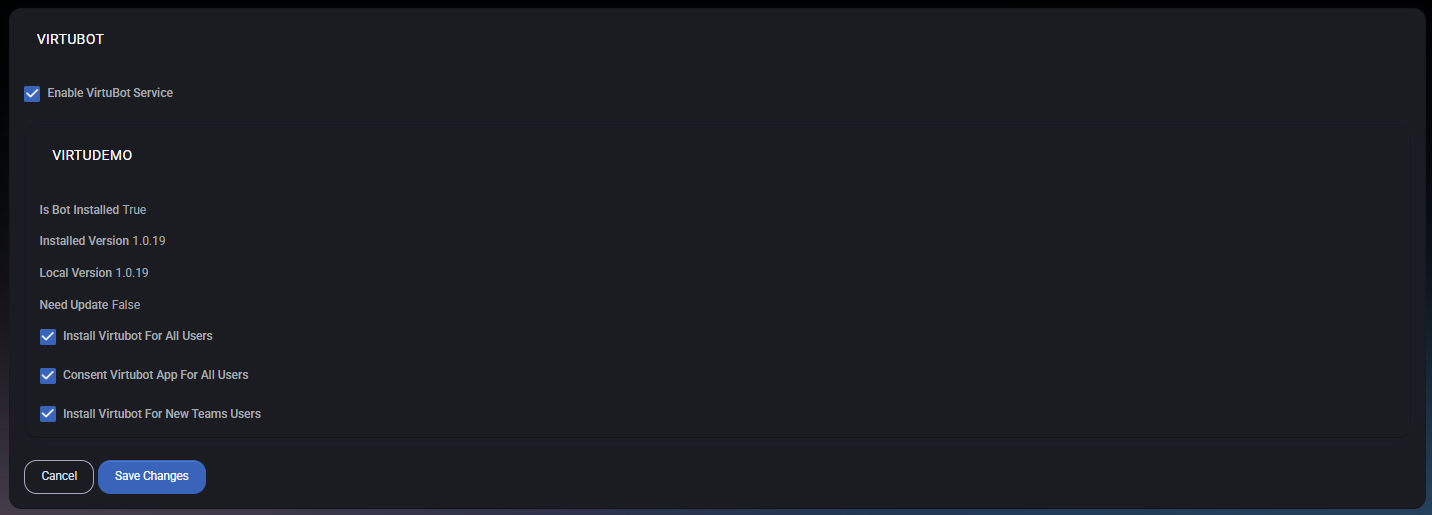
VirtuBot is an optional service that can be enabled per customer. When enabled, it allows MSPControl to deploy and manage a bot application inside the customer’s Microsoft 365 tenant, typically surfaced through Microsoft Teams.
VirtuBot can be used by other MSPControl features and background tasks to:
Disabling VirtuBot immediately prevents the service from being used for the customer.
The upper section of the page displays the current VirtuBot status for the customer organization, including:
This information is read-only and is used to assess deployment health and version alignment.
The following configuration options control how VirtuBot is deployed and authorized:
Changes to these options take effect after clicking Save Changes.
VirtuBot configuration at the customer level is limited to the customer’s own tenant:
The customer cannot modify the internal logic of VirtuBot — only its availability and deployment behavior.

No credit card required for free, limited license.