


The Mail > Mail Aliases page lets you create simple alias addresses that forward mail to another mailbox. This is designed for classic hosted mail providers (for example, SmarterMail) where aliases and forwarders are managed at the mail server level.
Aliases are commonly used for role-based addresses (for example, sales@, billing@, info@) or short/alternative addresses that deliver to a real mailbox.
A mail alias is an additional email address that forwards messages to a target mailbox (or another deliverable address). Unlike a mailbox account, an alias usually does not have its own login credentials or storage. It simply routes incoming mail to another destination.
Use aliases to keep addresses stable even when people change roles, or to provide easy-to-remember addresses for public contact points.
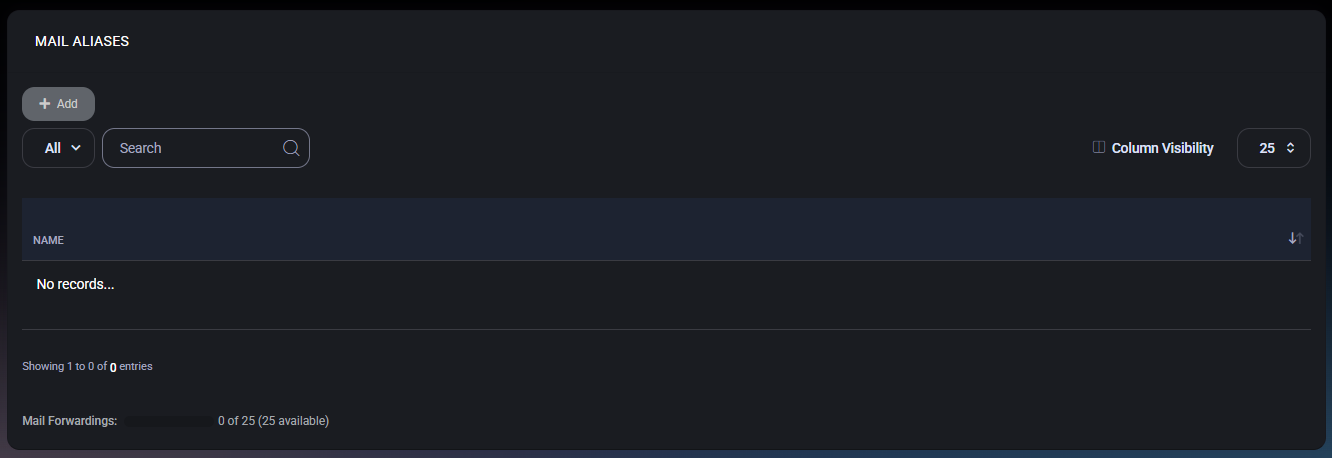
The list page displays all configured mail aliases and provides standard table navigation tools.
If no aliases exist, the table shows an empty state (for example, No records…). Use Add to create your first alias.
The footer displays the current usage of alias/forwarding capacity (for example, 0 of 25, with 25 available). This helps you validate whether you can add additional aliases without exceeding plan or license limits.
Click Add to open Mail Alias Properties. Creating an alias typically involves:
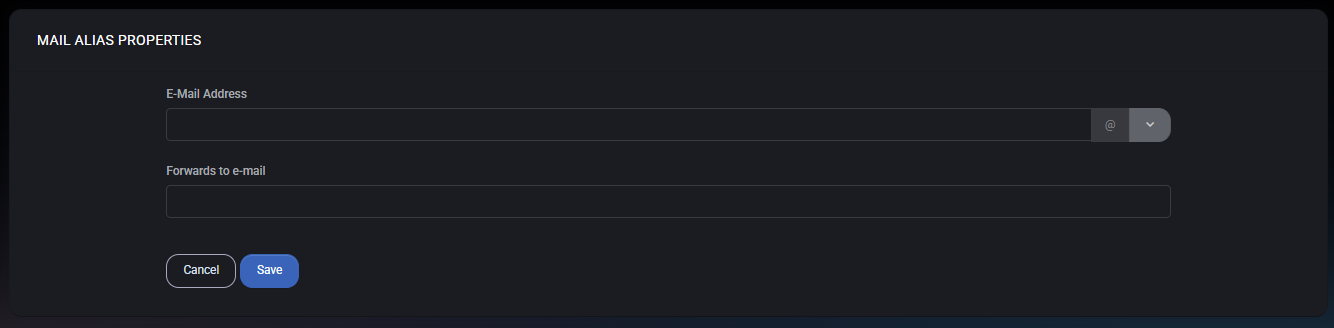
The Mail Alias Properties form defines how mail routing works for the alias.

No credit card required for free, limited license.