


The Email Routes page provides a read-only overview of how email routing is configured for the customer organization in MSPControl. This section is intended only for visibility and awareness and does not allow any interaction or modification.
On the customer level, email routes are fully managed by the service provider. Customers and their peers can only see the list of existing routes exactly as configured on the provider side.
More about basics here: https://www.cloudflare.com/learning/email-security/what-is-email-routing/
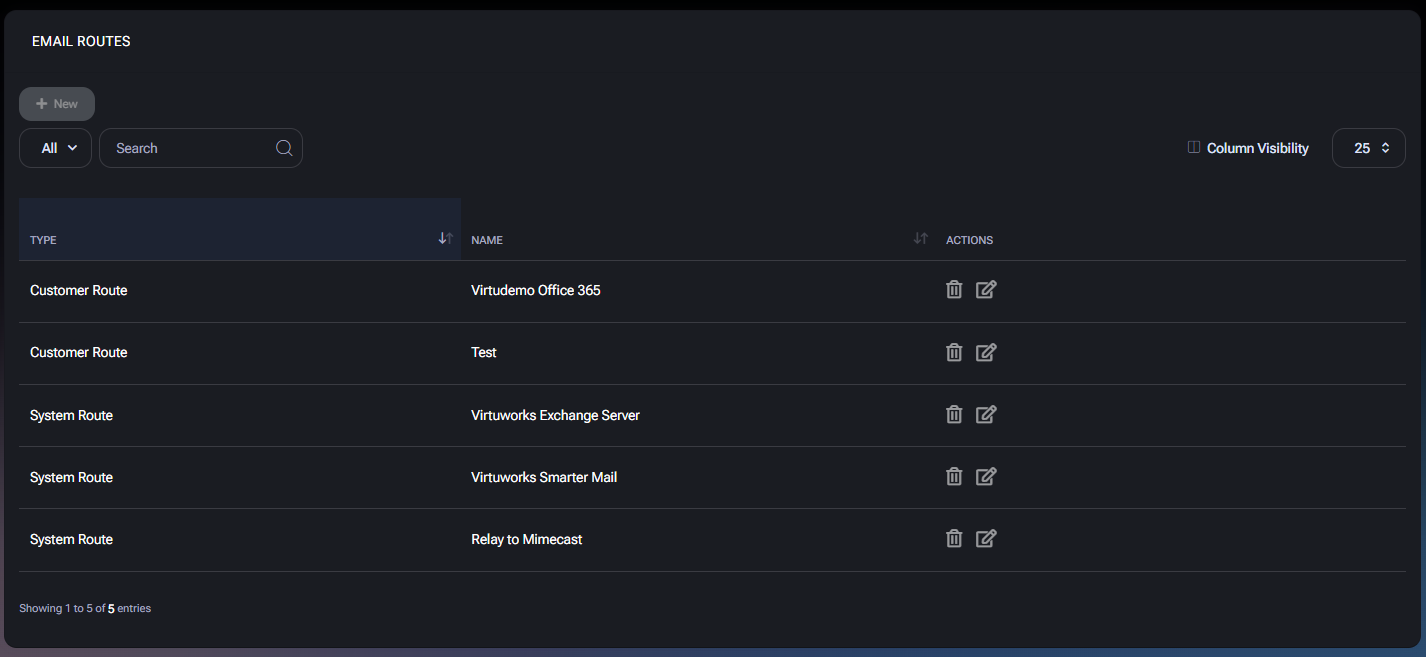
Email routes define how email traffic is processed and delivered for domains associated with your organization. This can include routing email to Microsoft 365, on-premises mail servers, provider-hosted mail platforms, or external relay and security services.
For customers, this page serves as a reference view only. The actual routing logic, targets, and configuration parameters are controlled centrally by the provider.
Customer access to the Email Routes page is strictly limited.
Even though action icons may be visible in the interface for consistency with the administrative UI, they are not usable on the customer level.
The page displays a table with the following columns:
The list shown in the interface is example-based. Your actual routes may differ depending on how your provider has configured mail flow.

No credit card required for free, limited license.